GSTIN: 29EJXPS5100K2ZE
Start sharing digital bills for lab tests to patients of your lab easily in 10 minutes.
Free demo
Free setup
Free training

See all features live
Understand the benefits
Get your questions answered
No purchase pressure





Running a pathology lab is not easy. Every day you handle multiple patients, tests, payments, and reports. A small billing mistake can create confusion, loss of money, or even legal problems. That is why a good pathology lab billing software is very important.
Billing software is not just for making bills. It protects your lab from human errors, manages accounting, tracks activity, and makes your work simple and organized.
Let us understand in detail how a good lab billing software works and why Labsmart is the best choice for pathology lab owners.
Manual billing can cause many errors:
Wrong patient details
Incorrect test selection
Calculation mistakes
Missed due amount collection
Poor accounting records
A good billing software minimizes errors or almost removes them completely.
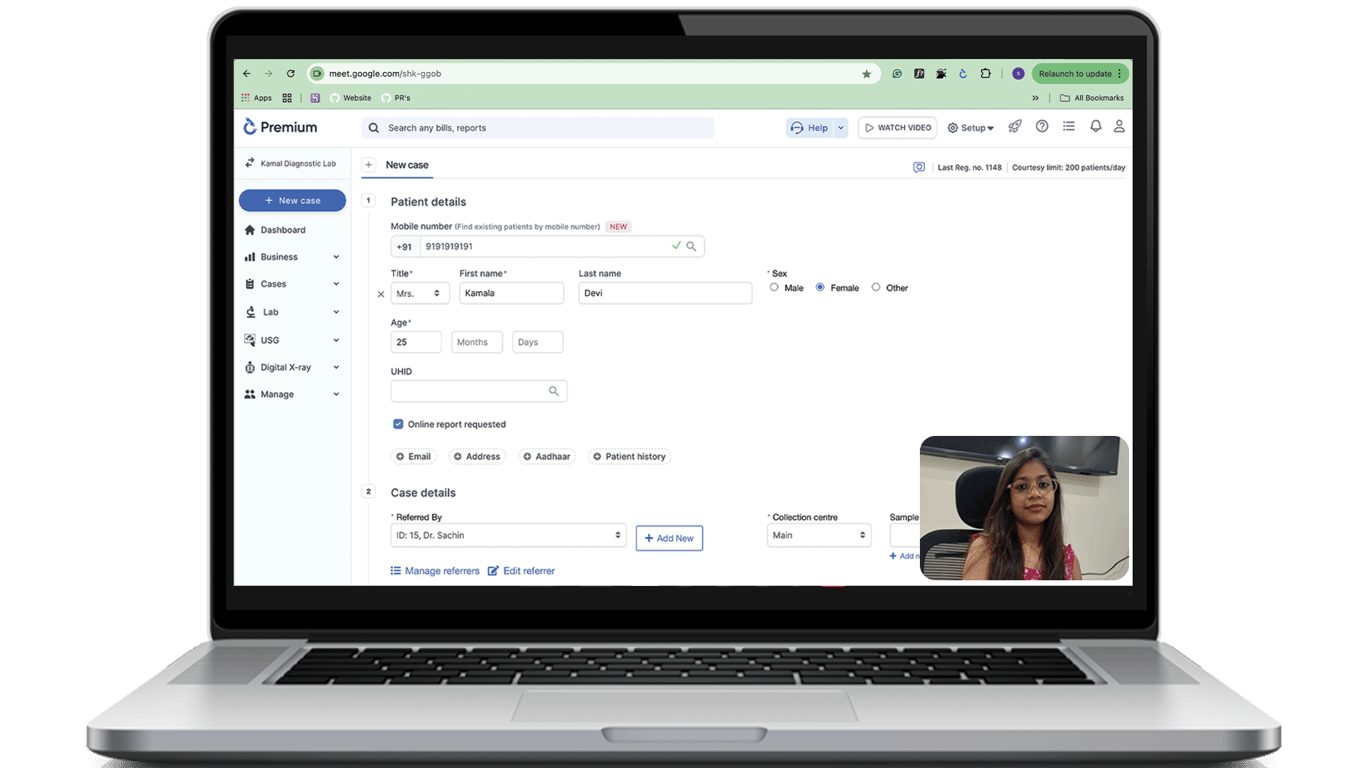
The software checks whether the age entered is valid. This prevents incorrect patient lab reports.
Very few pathology billing software provide QR code features.
With Labsmart:
This saves time and improves patient experience.
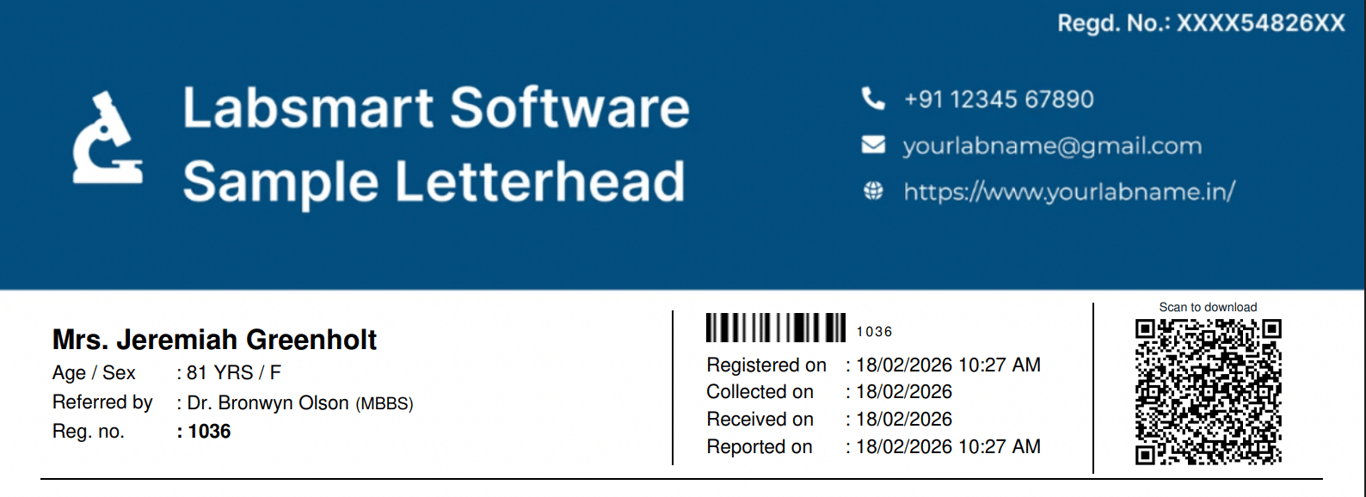
Image: QR coded lab report
Mobile numbers and email IDs are verified properly. This ensures:
Billing is directly connected to accounting. A good system should:
Labsmart allows you to easily see:
This makes daily accounting simple and clear.

Image: Dues management
Manual calculation mistakes can cause financial loss.
A billing software has an inbuilt calculator that:
This ensures 100% accurate billing.
Some tests are performed only on women, such as pregnancy tests.
If someone mistakenly selects a pregnancy test for a male patient, a good lab billing software will:
This protects your lab from serious reporting mistakes.
Labsmart provides this smart validation feature, which reduces human error.
Registration number is very important in pathology labs.
Sample numbering works like this:
This automatic numbering avoids confusion and keeps daily records organized.
A good pathology lab billing software must generate neat and clean bills.
The bill should include:
Professional bills improve your lab’s reputation and offer a good patient experience.
Sometimes bills are modified. A good billing software tracks:
This feature increases transparency and prevents fraud.

Image: Activity tracking and bill modification history
A good lab billing software provides a readymade rate list to the lab owner when they purchase the software.
It already includes:
The lab owner can easily edit prices, add new tests, or create packages.
A lab owner can create different expense categories like:
Lab billing software records all income and expenses in these categories.
It automatically calculates:
Total Income Total Expenses Net Profit or Loss
You can clearly see how much your lab is earning and spending.
A good lab billing software helps manage and control expenses easily.

Image: Daily business
Send a bill directly to the patient's WhatsApp.
Download and share bills in PDF format.
Welcome SMS after billing, Bill ready SMS, Report ready SMS:
• Total fees
• Paid amount
• Remaining balance
You can see:
• How much business each cashier handled
• Payment mode breakdown (UPI, Cash, Card)
• Daily collection report
This makes accounting simple and transparent
Labsmart provides:
Smart validations
Error-free billing
Automatic calculation
Gender-based test checks
QR code report access
Dues management
Cashier-wise reports
Bill can be shared through WhatsApp
Clean professional bill format
Complete transaction history
Labsmart makes lab management easy, secure, and professional.
If you are running a pathology lab and want to reduce errors, improve billing accuracy, and manage accounting easily, then choosing the right pathology lab billing software like Labsmart is the smart decision.
Setup & start billing
In just
5 minutes

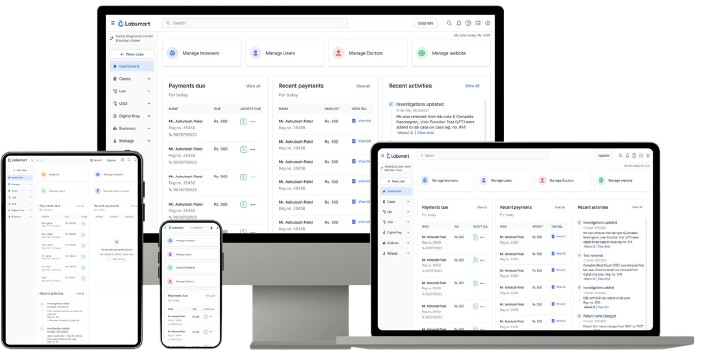
Pathology lab billing software is a digital system that helps labs create bills, manage payments, track dues, and reduce human errors.
It validates patient details, prevents wrong test selection, performs automatic calculations, and tracks bill modifications.
Yes. Good software like Labsmart shows paid amount, balance amount, and allows easy dues collection. Yes. Good software like shows paid amount, balance amount, and allows easy dues collection.
It prevents billing of tests meant only for women (like pregnancy tests) for male patients.
Yes. Labsmart allows bill sharing via WhatsApp and PDF downloads.