


Lab Setup and Onboarding
Starting a new lab software can feel difficult and confusing. Many pathology labs and diagnostic centers worry about data setup, report formats, pricing updates, staff access, and system configuration.
That is why Labsmart pathology lab software provides a simple and smooth onboarding process for pathology labs ans diagnostic centers.
With easy setup steps, labs can quickly start working without technical complications.
What is Lab Onboarding and Setup?
Lab onboarding means setting up your pathology lab software properly before daily operations begin.
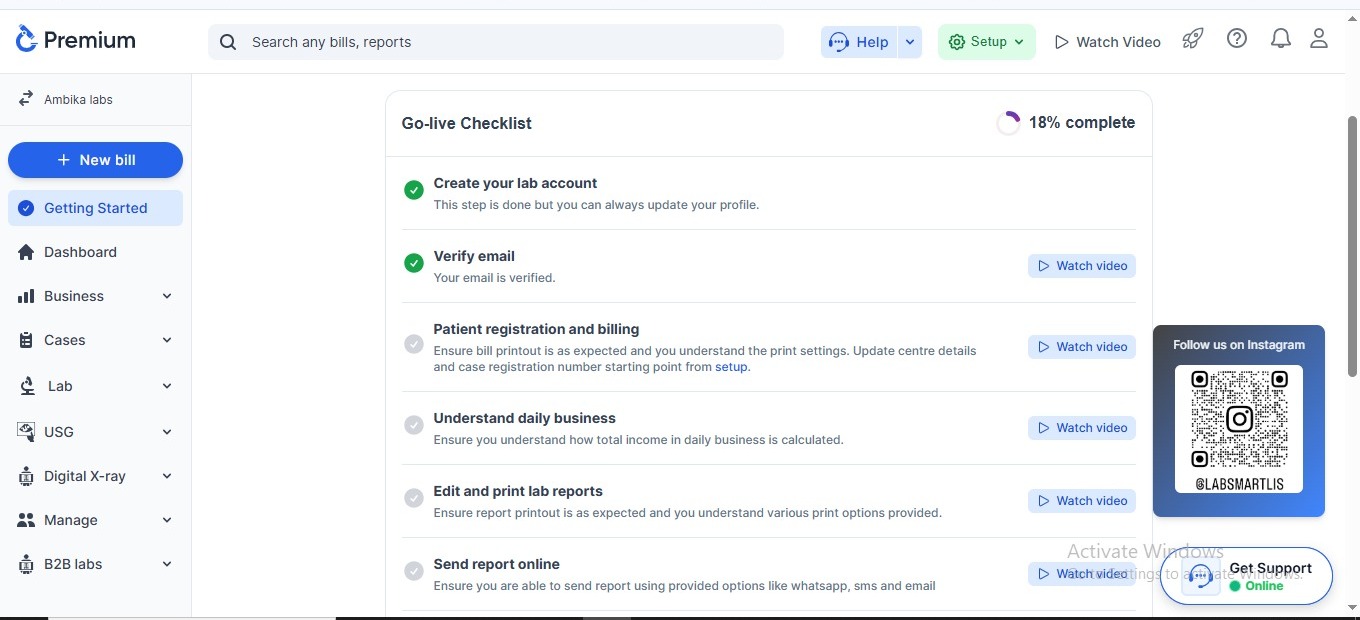
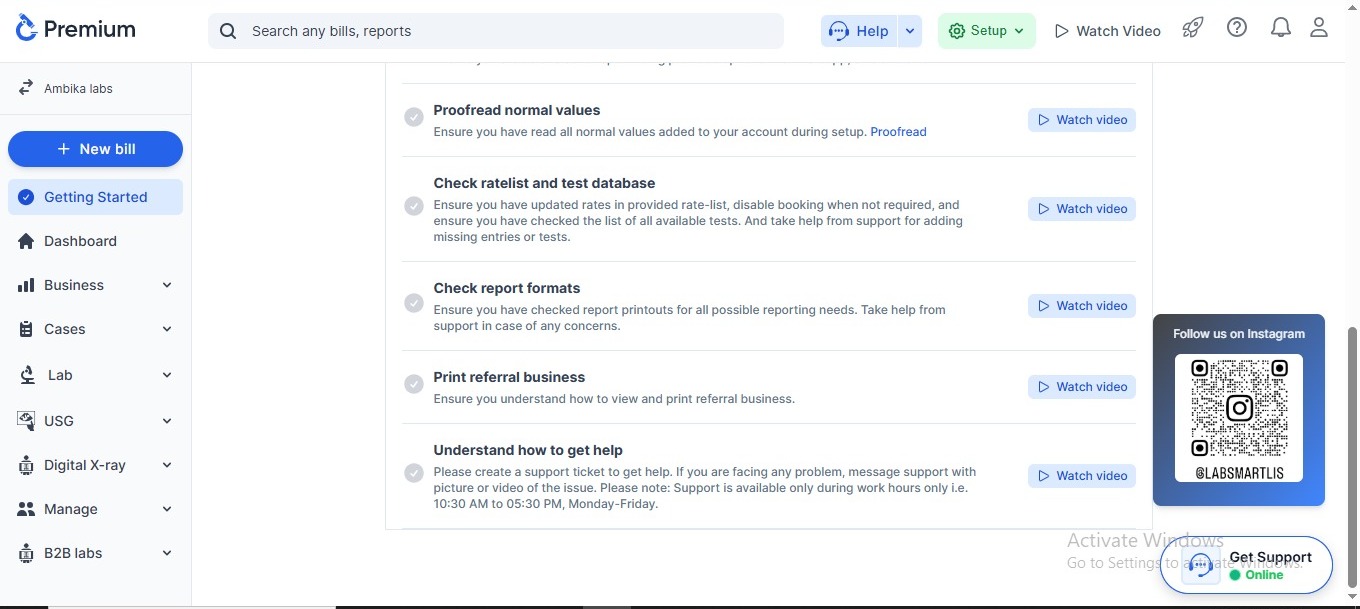
This includes:
-
1
Create your lab account
-
2
Verify email
-
Patient registration and billing
Ensure bill printout is as expected and you understand the print settings. Update centre details and case registration number starting point from setup.
-
Edit and print lab reports
Ensure report printout is as expected and you understand various print options provided.
-
Send report online
Ensure you are able to send report using provided options like whatsapp, sms and email
-
Proofread normal values
Ensure you have read all normal values added to your account during setup.
-
Check ratelist and test database
Ensure you have updated rates in provided rate-list, disable booking when not required, and ensure you have checked the list of all available tests. And take help from support for adding missing entries or tests.
-
Check report formats
Ensure you have checked report printouts for all possible reporting needs. Take help from support in case of any concerns
-
Understand daily business
Ensure you understand how total income in daily business is calculated.
-
Print referral business
Ensure you understand how to view and print referral business.
-
Understand how to get help
Please create a support ticket to get help. If you are facing any problem, message support with a picture or video of the issue. Please note: Support is available only during work hours only i.e. 10:30 AM to 05:30 PM, Monday-Friday.
This step is done but you can always update your profile.
Your email is verified.
A proper setup helps labs work faster, reduce mistakes, and maintain professional reporting.
Features of Labsmart Onboarding and Setup
Update Center Details Easily
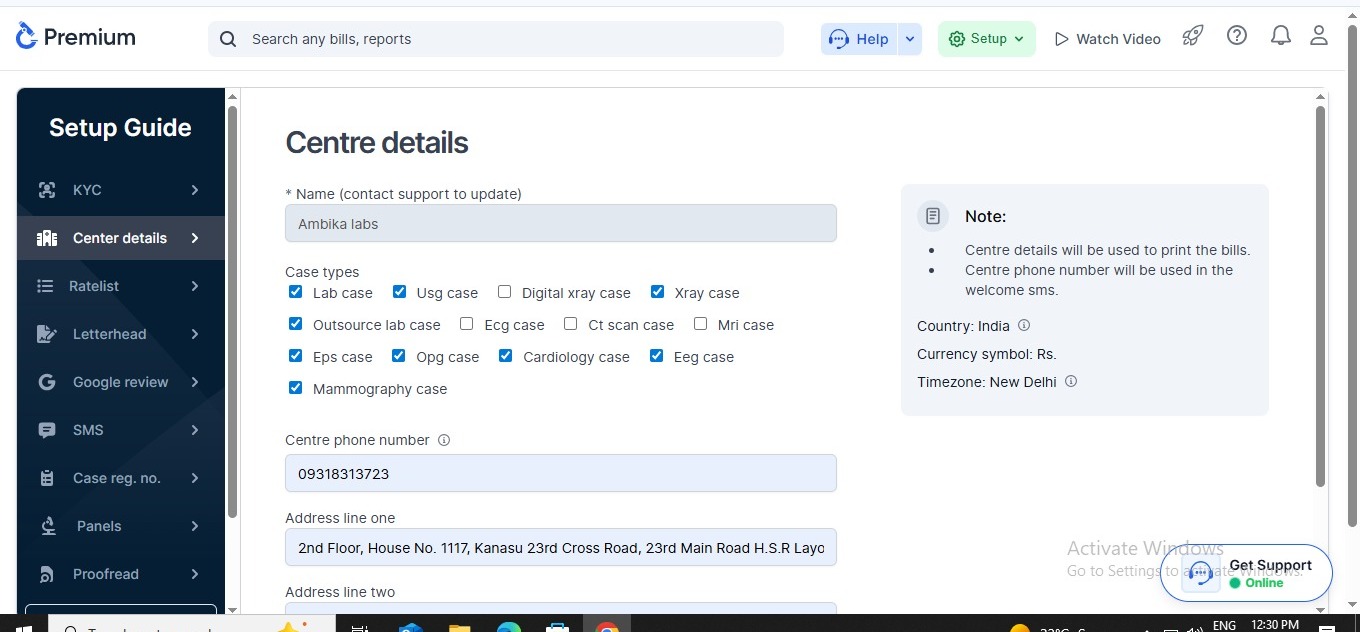
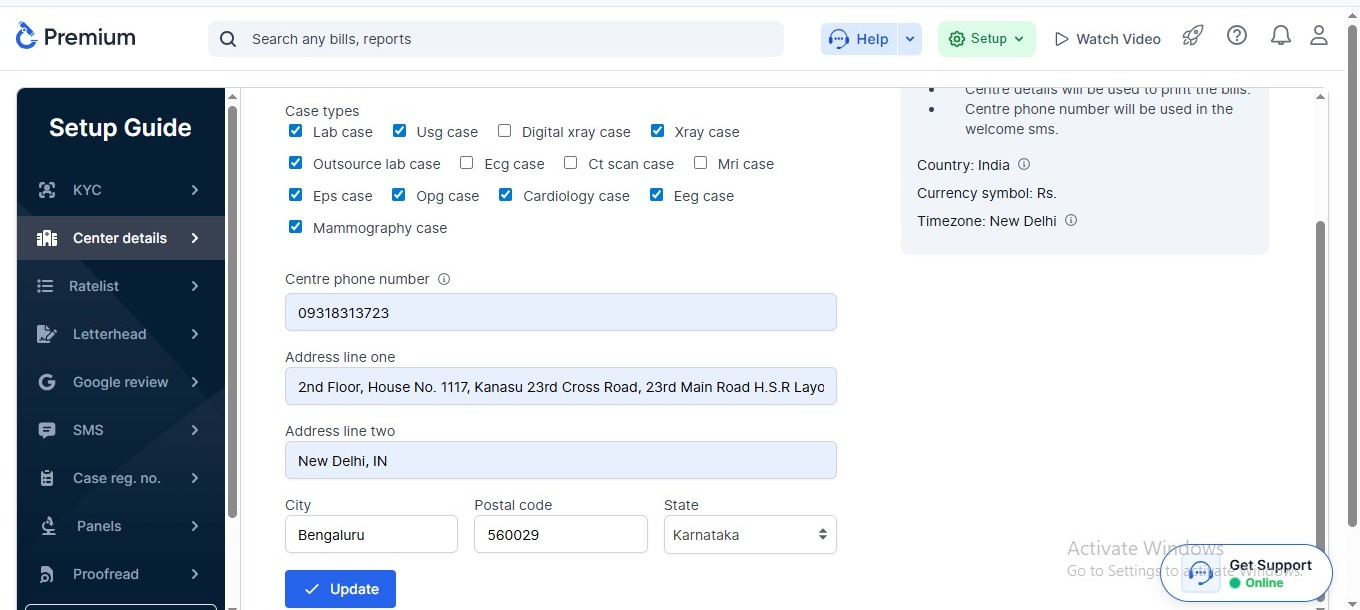
Labsmart allows you to add and manage all important laboratory details in one place.
You can update:
-
Lab name
-
Address
-
Contact details
-
Email ID
-
Registration details
Benefits
-
Professional report generation
-
Accurate lab identity
-
Easy record management
Upload Letterhead and Signature Images
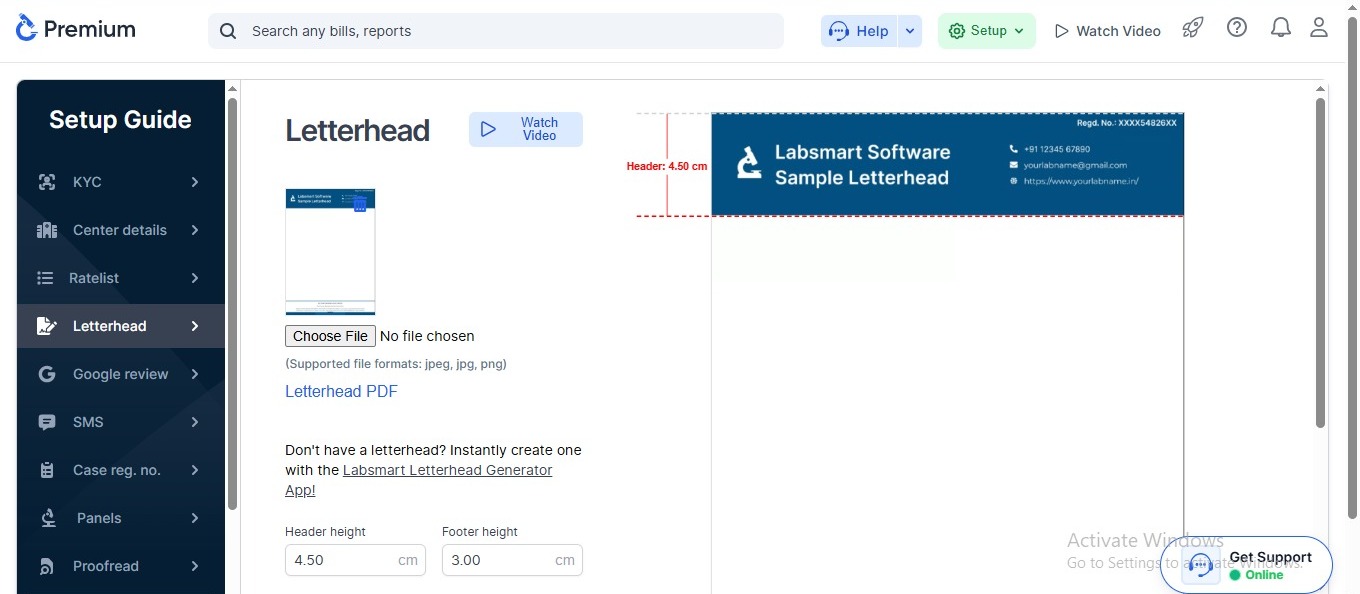
These automatically appear on reports.
You can upload:
-
Lab letterhead
-
Doctor and Technician signatures
Benefits
-
Professional report appearance
-
Saves manual signing time
-
Improves branding
-
Creates trust with patients
Automated SMS Preference Setup
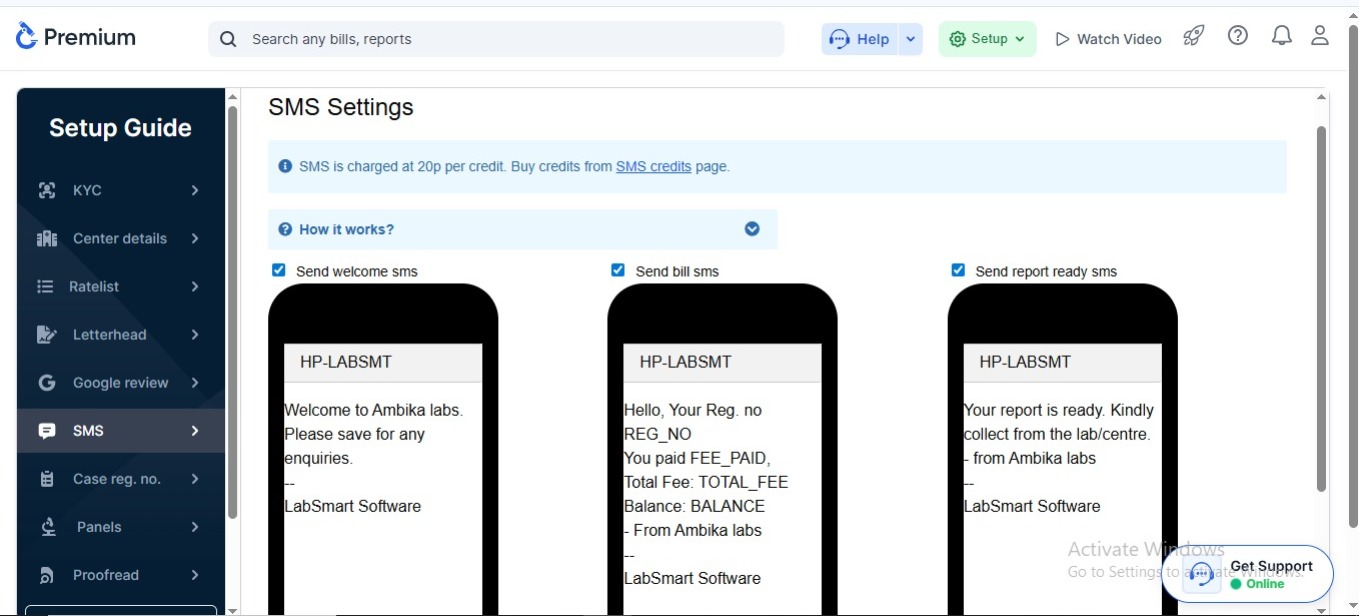
Labsmart allows you to configure automated SMS settings for patients.
Labs can send:
-
Report ready SMS
-
Sample collection updates
-
Payment notifications
Benefits
-
Faster patient communication
-
Better patient experience
-
Reduced manual calling work
Case Registration Customization
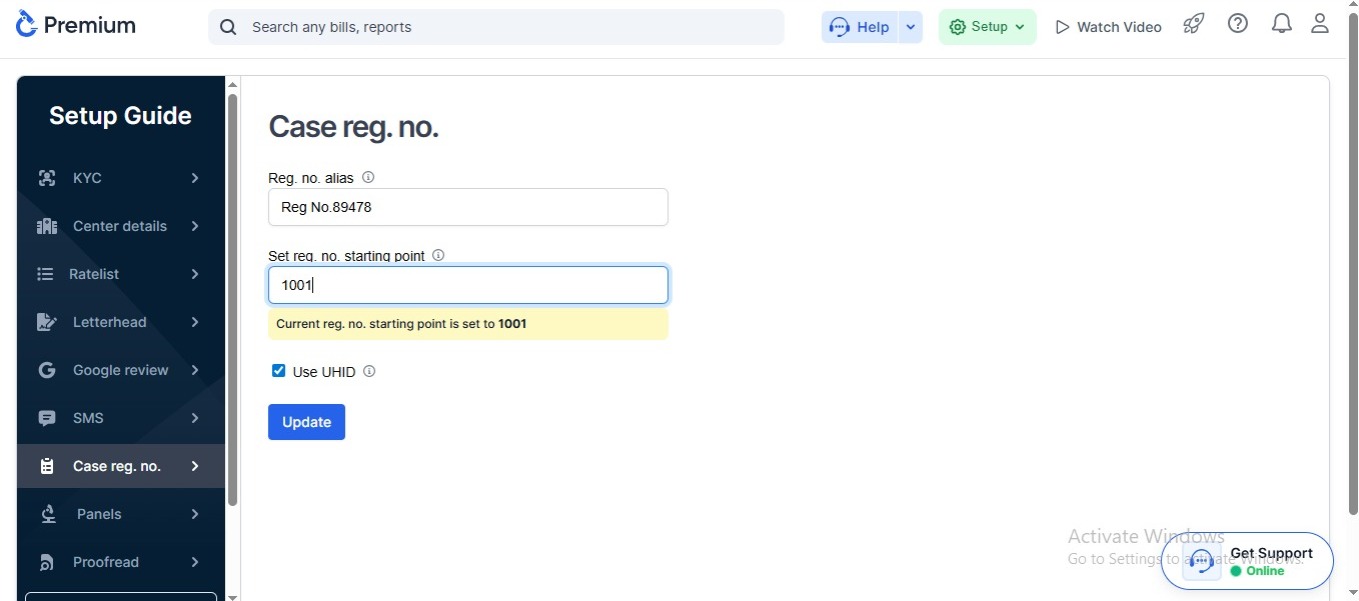
Every lab follows a different registration numbering pattern.
Labsmart allows customized registration numbers according to your lab workflow.
Examples:
-
Case registration number
Benefits
-
Organized patient records
-
Better tracking
-
Easy report management
Test Panels Customization
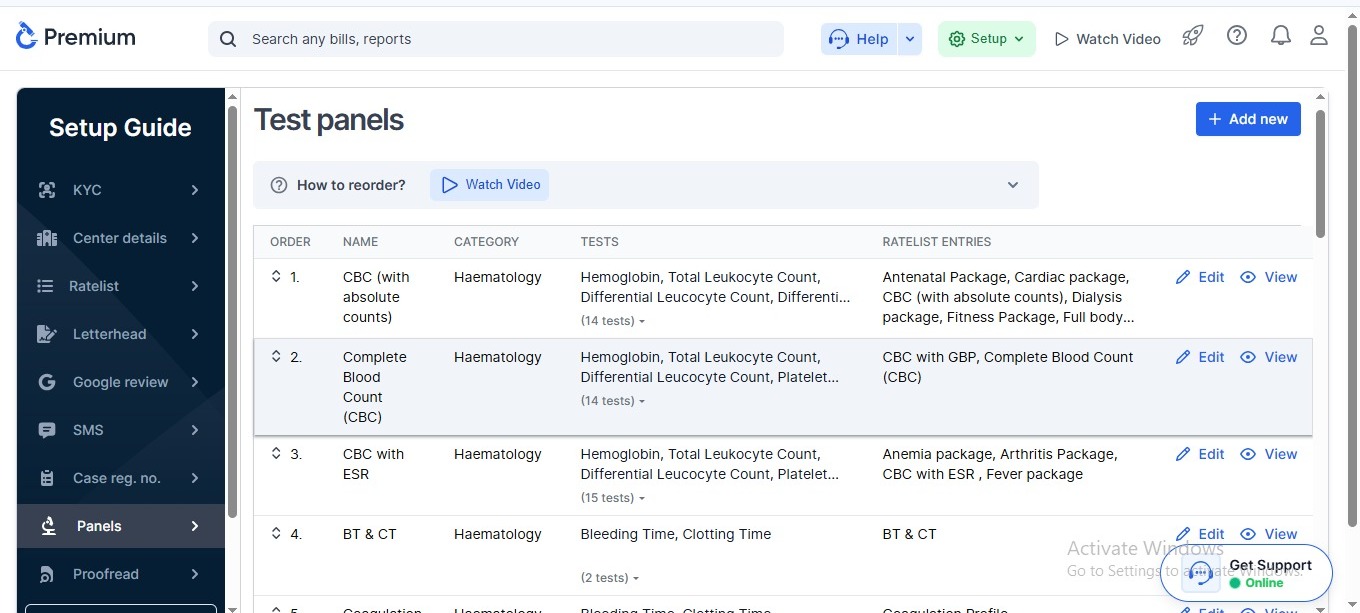
Different labs offer different test packages and panels.
Labsmart allows complete customization of:
-
Test panels
-
Test Packages
-
Test Database
Benefits
-
Flexible lab operations
-
Faster billing
-
Better workflow management
Update Rate List Easily
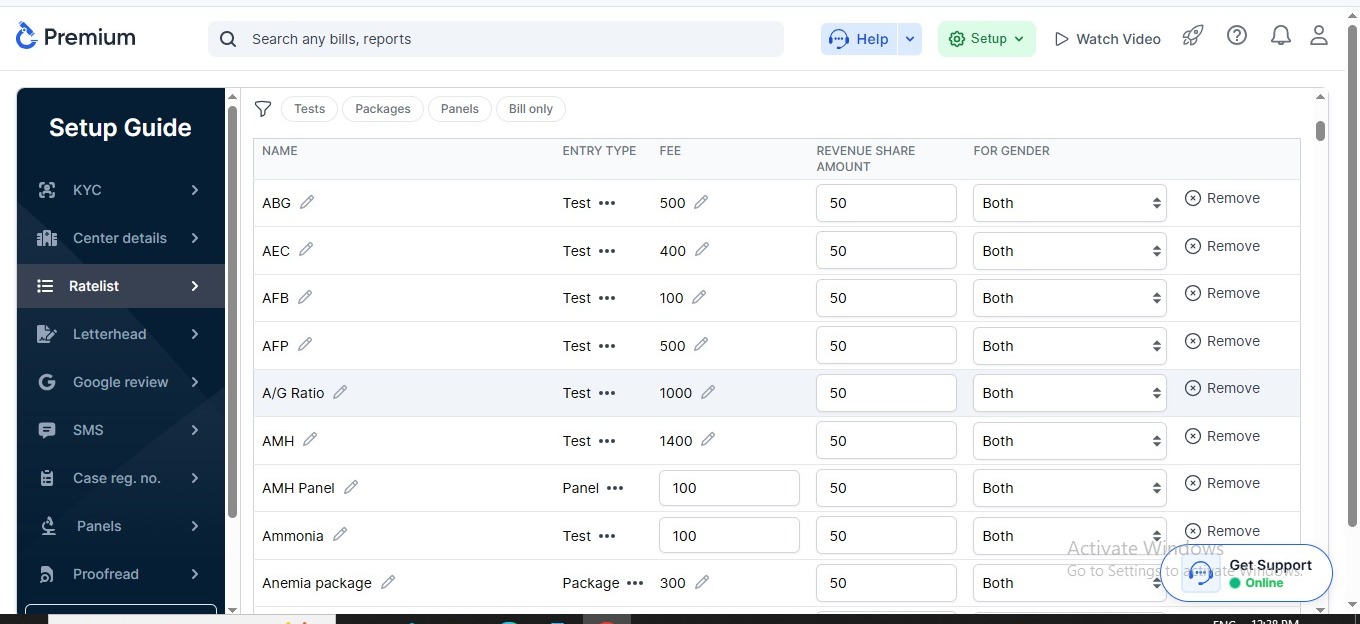
Managing test prices manually can create confusion.
With Labsmart, labs can quickly update:
-
Test charges
-
Panel pricing
-
Referral pricing
Benefits
-
Accurate billing
-
Easy price management
-
Faster front desk operations
Proofread Normal Values
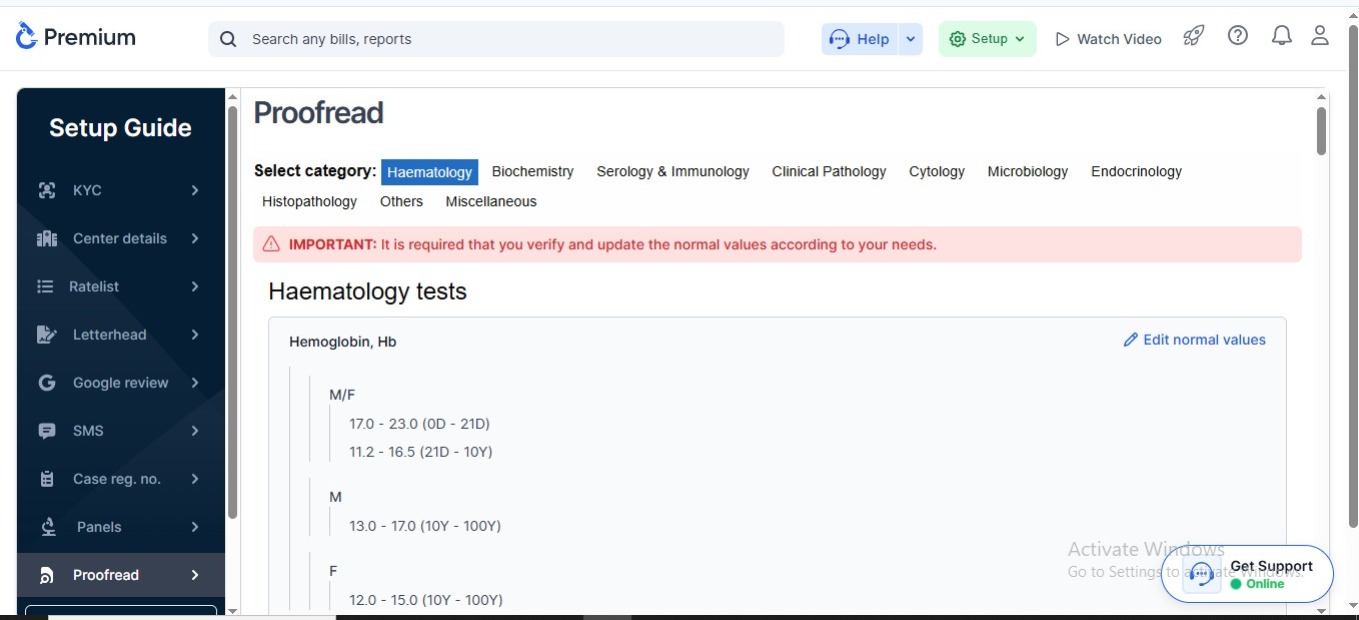
Correct normal values are very important in pathology reporting.
Labsmart allows labs to:
-
Review normal ranges
-
Update reference values
-
Verify report standards
Benefits
-
Better report accuracy
-
Reduced reporting mistakes
-
Improved patient trust
Add Users and Configure Permissions
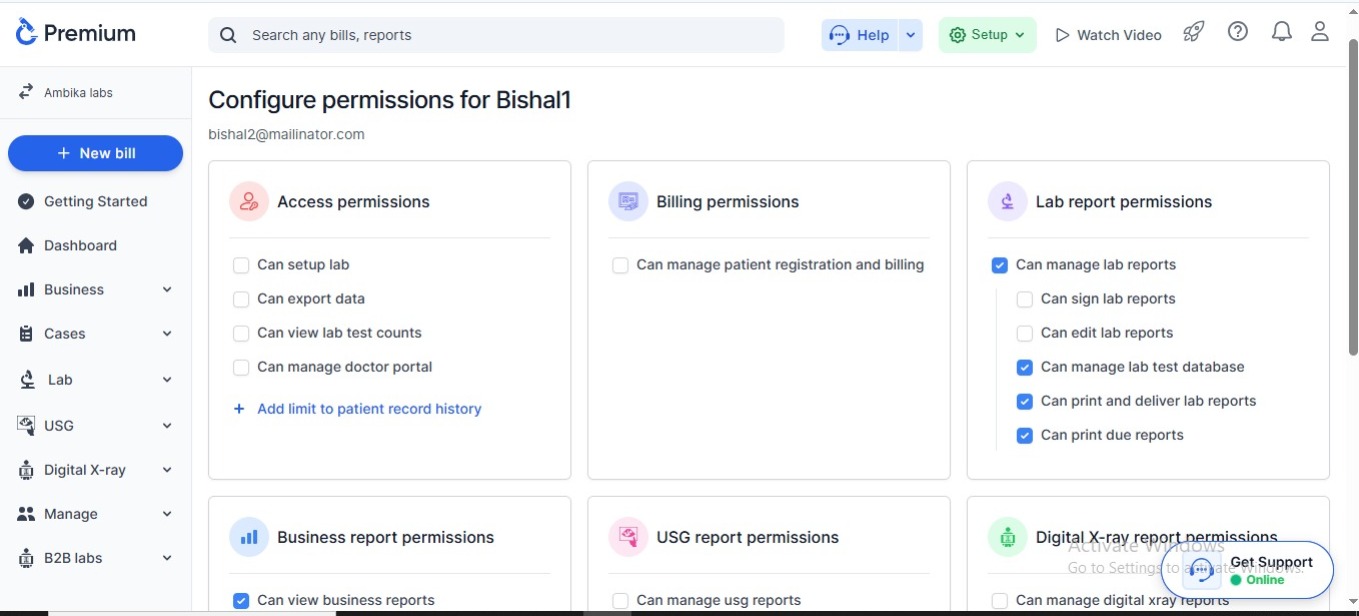
Labs often have multiple staff members handling different work.
Labsmart allows you to:
-
Add users
-
Create staff accounts
-
Set access permissions
-
Control data visibility
Examples:
-
Reception access
-
Technician access
-
Doctor access
-
Admin access
Benefits
-
Better security
-
Controlled data access
-
Improved team management
Why Choose Labsmart for Lab Setup and Onboarding?
Labsmart makes the onboarding process simple even for non-technical users.
Key Advantages:
Easy software setup
Beginner-friendly interface
Fast onboarding process
Customizable workflow
Secure user management
Professional report setup
Better operational efficiency
Who Can Use This Setup System?
This onboarding solution is useful for:
-
Pathology labs
-
Diagnostic centers
-
Radiology centers
-
Collection centers
-
Ultrasound centers
-
Independent laboratories
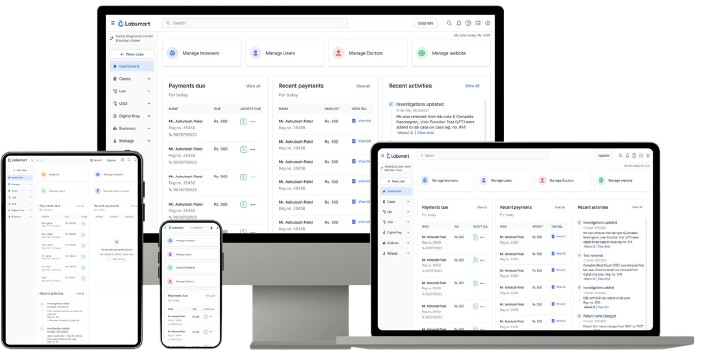
Simple Lab Setup & Onboarding
Start managing your pathology lab smoothly with Labsmart
Features
Basic
Easy & Accurate Reporting
Start your 5 days free trial with Labsmart.
Frequently Asked Questions
Pathology lab onboarding is the process of setting up lab software with lab details, report formats, pricing, users, and configurations before starting operations.
Yes. Labsmart allows you to upload letterheads and signature images for professional reports.
Yes. Labs can configure automated SMS notifications for patients.
Yes. The software supports customized registration numbering systems.
Yes. You can customize test panels and packages according to your lab requirements.
Yes. You can add users and configure role-based access permissions.
Yes. Labs can easily update test prices and rate lists whenever needed.