




In this article, we’ll:
- List popular offline pathology software options
- Compare their advantages and disadvantages
- Explain what online lab software is
- Show why online options like Labsmart are becoming the best choice for modern pathology labs
GSTIN: 29EJXPS5100K2ZE

By Gitika Chargotra
Created on: 10th Feb 2026
In this article, we’ll:
If you’re searching for offline pathology lab software, you’re probably looking for a system that can manage patient records, lab tests, reports, billing, and daily lab operations.
Offline software works on a single computer or local server and does not need continuous internet access. Because of this, many small labs still consider offline systems, especially due to one-time purchase cost.
But technology has changed a lot. Today’s labs need software that is fast, secure, easy to use, and accessible from anywhere. Before choosing offline software, here are some important things you should know.
Sahi Reports Har baar
Start your 5 days free trial with Labsmart.
Offline pathology lab software is installed on a desktop and works without an internet connection. All patient data, test results, and reports are stored on the local system.
Offline lab software is useful if:
If your lab operates in a remote location where internet access is unreliable, offline pathology software can be a practical solution.
These benefits make offline software relevant for specific locations, but they come with several limitations.
Offline software does not allow online report sharing through WhatsApp, email, or SMS. Patients must visit the lab again to collect reports, which negatively affects patient experience.
Modern patients expect:
Offline systems fail to meet these expectations and make labs appear outdated.
Offline software is vulnerable to:
This can lead to loss of critical patient data.
Most offline lab software has:
Accurate Reports. Everytime
Share reports on WhatsApp, Email, or SMS.
Source: Indiamart / Other online sources
| Software name | Price range | AMC Charges | Support charges |
|---|---|---|---|
| Labmate | Starts at Rs.14,500 per unit | Yes | Yes |
| Elab | Unclear | Yes | Yes |
| Digit24 | Starts at Rs. 6,999 per unit | Yes | Yes |
| PathoGold | Unclear | Yes | Yes |
| SaralPro | Unclear | Yes | Yes |
If your lab has stable internet connectivity, choosing online pathology lab software is a smarter and future-ready decision.
Online software runs on cloud servers, allowing access from anywhere and improving efficiency, security, and patient satisfaction.
Fast digital services help:
With employee login features, Labsmart helps you:
Labsmart offers the most transparent pricing in the Indian market, designed to grow as your patient volume grows.
| Feature | Offline Software | Online Software |
|---|---|---|
| Internet Needed | No | Yes |
| Remote Access | No | Yes |
| Backup Required | Yes | No |
| Scalability | No | Yes |
| Updates | Manual and Paid | Automatic and Included |
| In Built Data Safety | No | Yes |
Online pathology lab software has become the preferred choice because it:
In today’s fast-paced healthcare environment, labs that switch to online software stay competitive and provide better service.
If you want to future-proof your lab, online pathology software is the right investment.
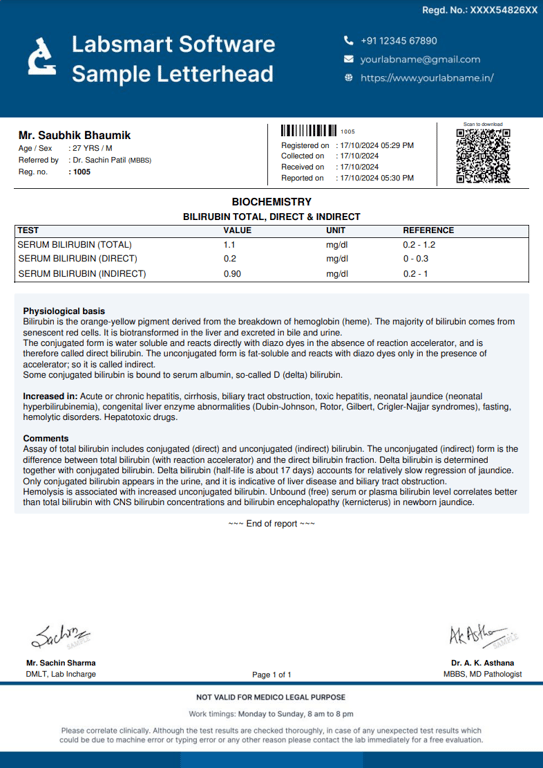
beautifully designed Lab reports
Try Labsmart & start customizing your reports
Labsmart is a cloud based pathology software that is easy to use and helps you run your lab smoothly. Apart from user friendly features, we offer outstanding support to help you run your business friction free. We work with the latest technologies to provide a secure and reliable solution. We keep adding new features to the software regularly as per market feedback. Here are some benefits of Labsmart's cloud pathology software:







Offline pathology lab software is installed on a single computer or local system and works without the internet. It usually comes as a one-time purchase but has limited features.
Offline software is outdated because it is slow, hard to update, and does not support real-time data access, online report sharing, or automatic backups.
Labs may face data loss, manual work, limited access, poor security, and difficulty in sharing reports with doctors and patients.
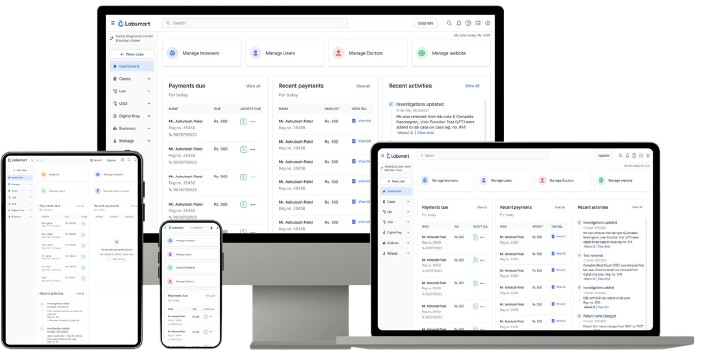
Labsmart is an online pathology lab management software that helps labs manage patients, tests, reports, billing, and data securely on the cloud.
Labsmart offers real-time access, fast report generation, automatic backups, regular updates, better security, and easy report sharing — all without manual effort.
Yes. Labsmart can be accessed anytime, anywhere, using a computer, laptop, tablet, or mobile device with an internet connection.
Yes. Labsmart uses secure cloud storage, data encryption, and regular backups to keep your lab data safe and protected.
No. The shift is simple. Labsmart provides easy onboarding and support to help move your data smoothly from offline systems.
Yes. Labsmart is designed for small, medium, and large pathology labs and grows easily as your lab expands.
You can start by booking a free demo to see how Labsmart works for your lab.