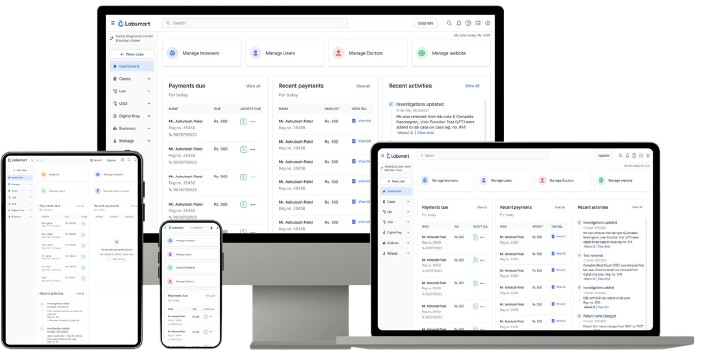


How to share your entire screen?

Continue

Team of experts, ready to help

Join meeting here for your demo, support or onboarding session.

Deepa

Ms. Deepa

Lab Automation Guide

Hari

Mr. Hari

Lab Automation Guide

Ashu

Mr. Ashu

Lab Automation Guide

Mrs. Shalini

Mrs. Shalini

Customer Success Specialist

Ms. Priya

Ms. Priya

Customer Success Specialist

Ms. Riya

Ms. Riya

Customer Success Specialist

Ms. Aarti

Ms. Aarti

Customer Success Specialist

Mrs. Kirti

Mrs. Kirti

Customer Success Specialist

Mrs. Pooja

Mrs. Pooja

Customer Success Specialist

Mr. Abhishek

Mr. Abhishek

Support

Mr. Saubhik

Mr. Saubhik

Support

Join a meeting

1
Confirm your meeting time over call
2
Join meeting at scheduled time
3
Share entire screen during meeting

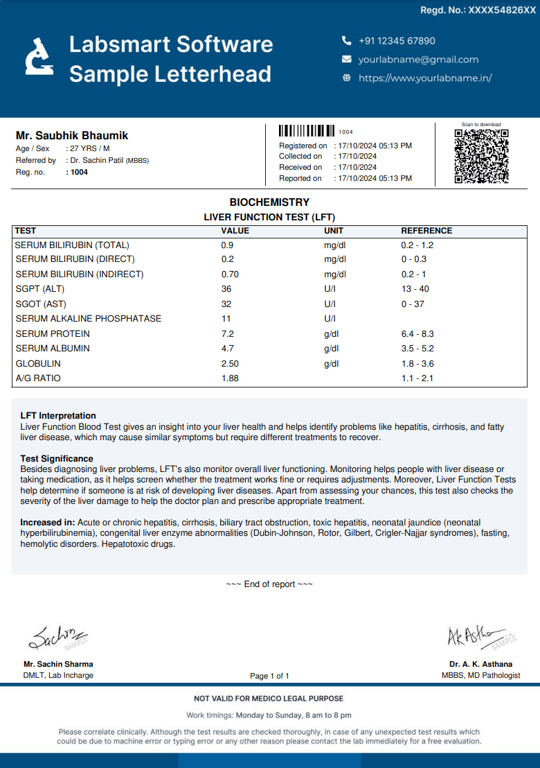
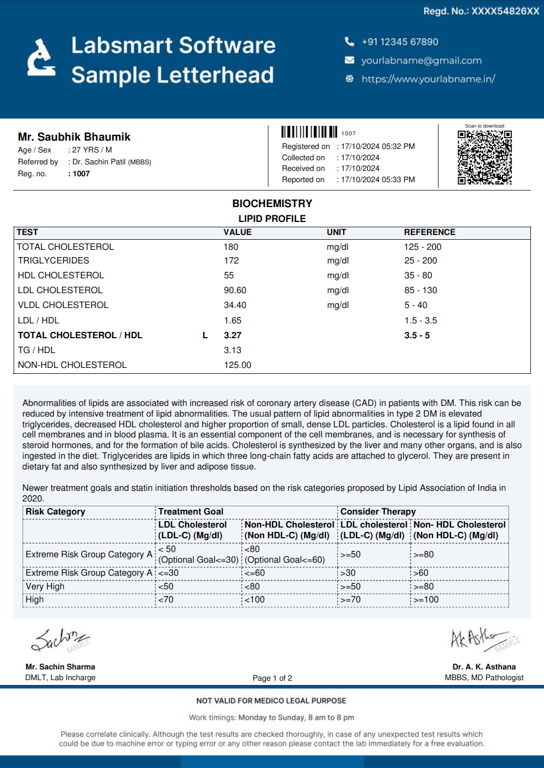
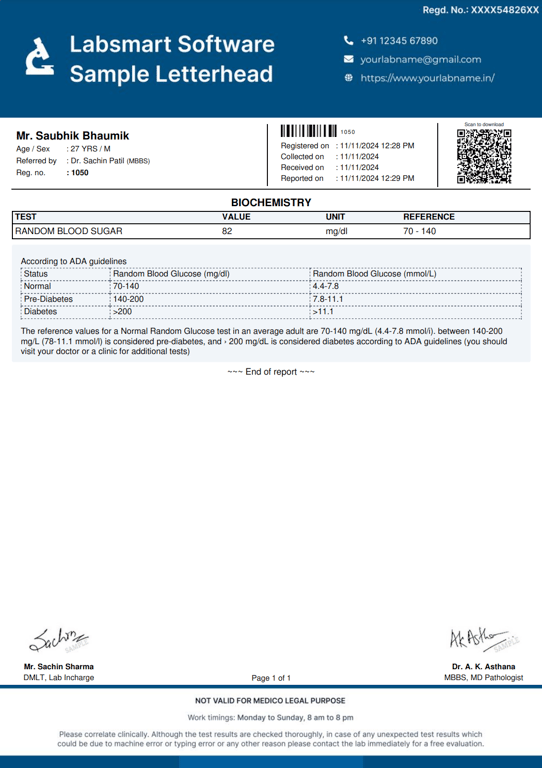
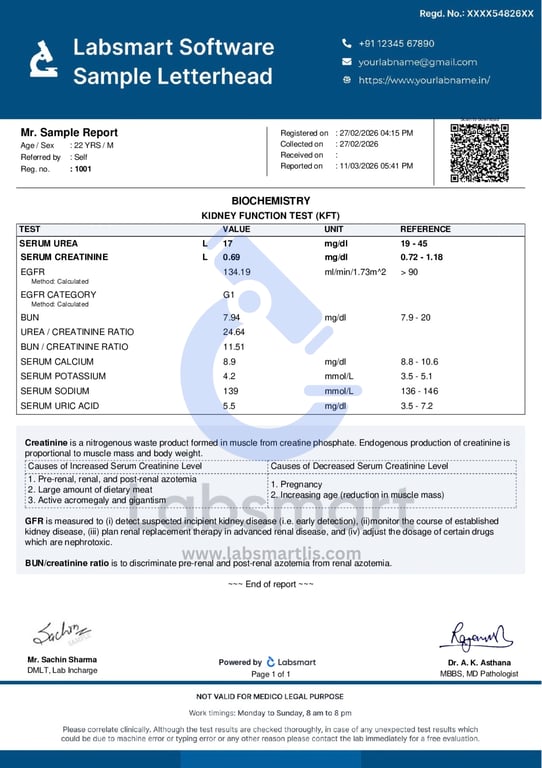
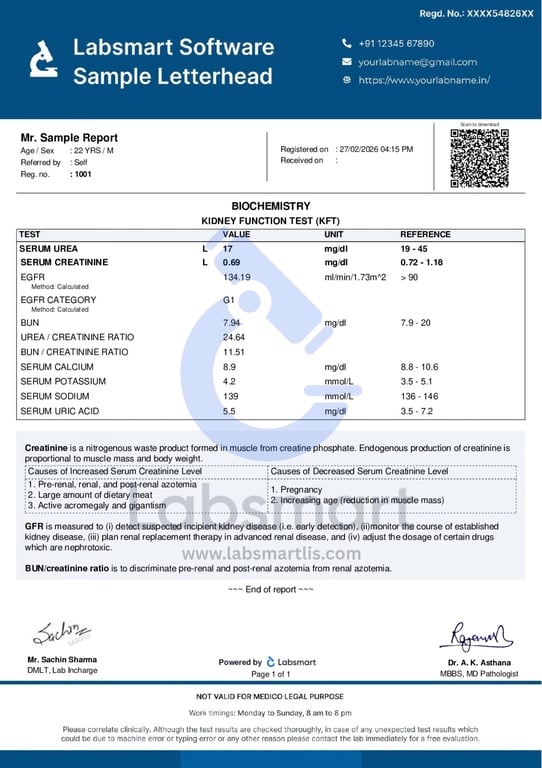
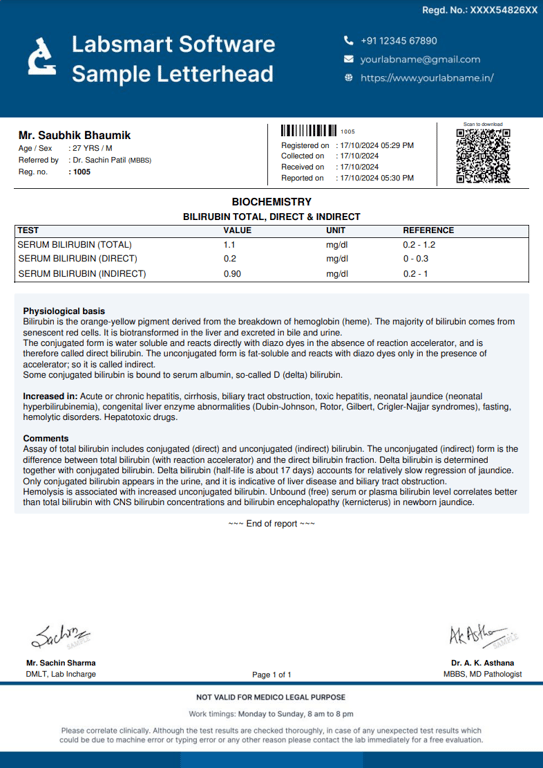
Sample Lab Reports


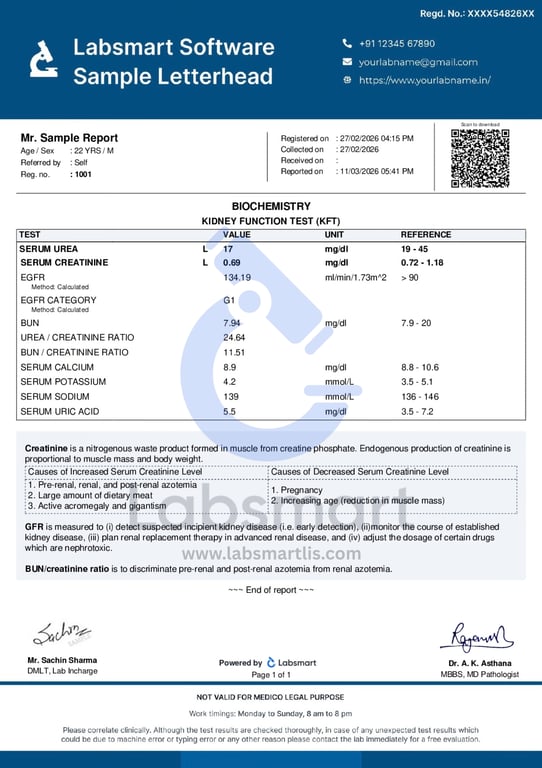
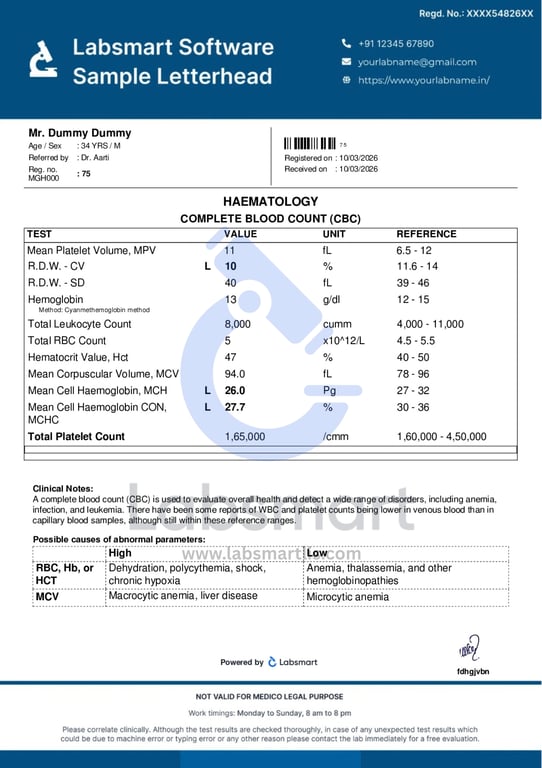
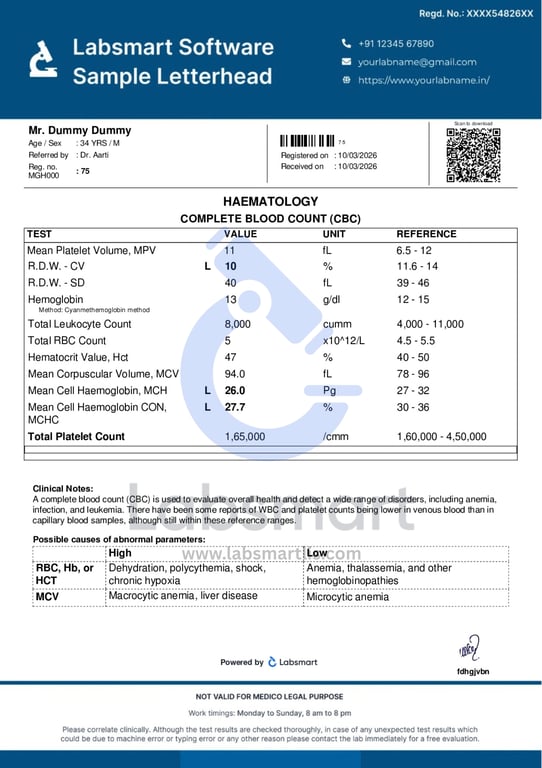
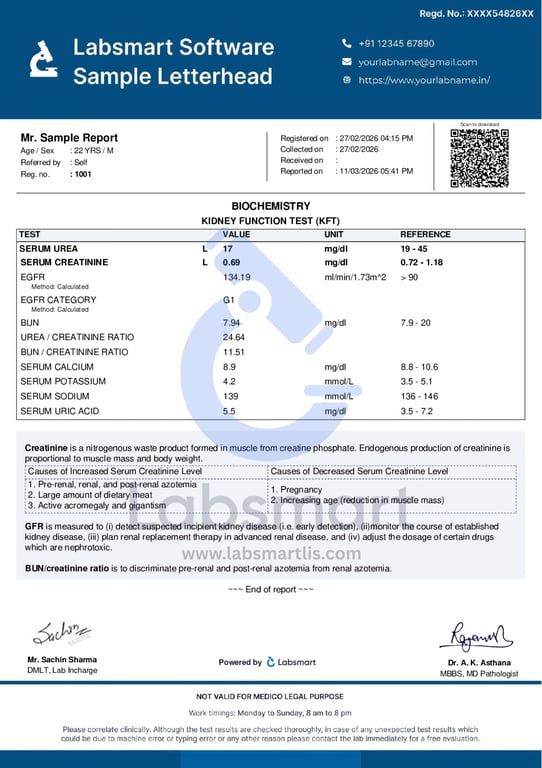
To help you see how reports from Labsmart look, we have shared some sample lab reports.
These samples show the format and layout of reports generated by the software.
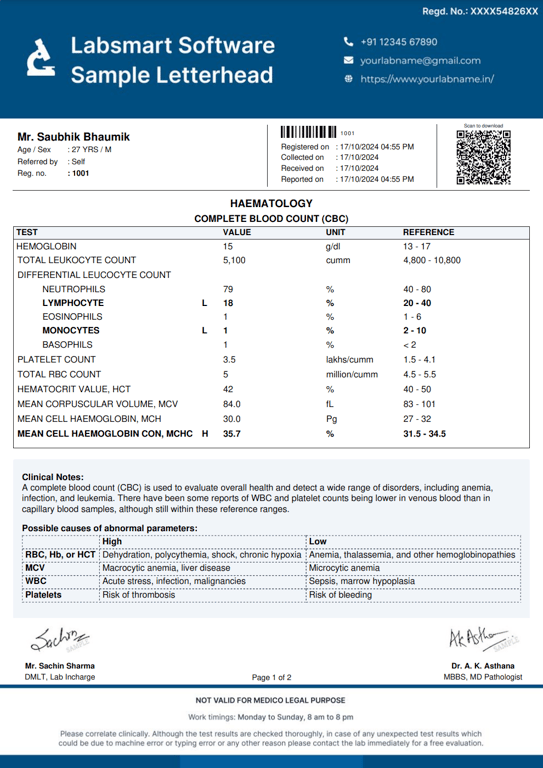
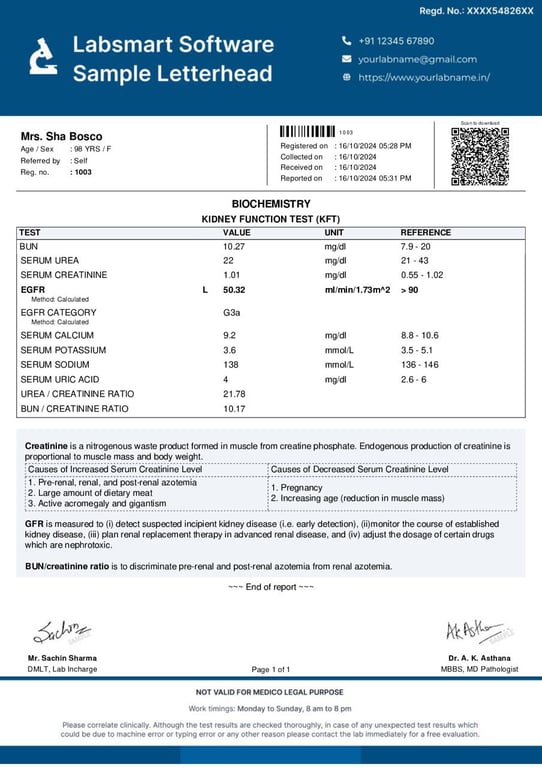
Easy to Customize - Add or Change Report Details


All the data inside the reports can be easily changed according to your lab’s needs. Every lab has its own way of presenting reports, and Labsmart gives you full control to customize the report format.

You can edit basic details like:

Test names
Reference ranges
Letterheads
Doctor & Tech Signatures
Comments & Interpretations

Customize the Full Report Format


A lab report contains many sections, and different labs prefer different formats. With Labsmart, you can decide what information should appear in the report and what should not.

You can customize:

1. Labsmart provide different version of reports

Version 1
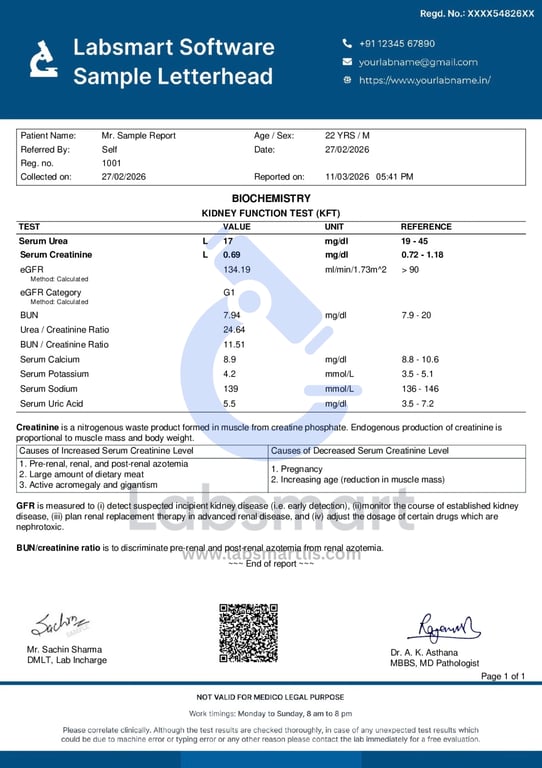
sample lab report version 1

Version 2

sample lab report version 2

Can choose any version depending on your lab’s preference.

2. Turnaround Time (TAT)

  • Registered On
  • Collected On
  • Processed On
  • Reported On

These details can be shown or hidden depending on your lab’s preference.

Without TAT
sample lab report without TAT

With TAT

sample lab report with TAT

3. QR Code

a Option to show a QR code for quick report verification or download
b Can also be disabled if the lab does not want it

Without QR

sample lab report without QR

With QR

sample lab report with QR

4. Page Settings

Page numbers

Without page number

sample lab report without page number

With page number

sample lab report with page number

5. Patient Details

a. Patient address (show or hide)

6. Test Result Display

  • a. Test Name
  • b. Result
  • c. Units
  • d. Reference Range
  • e. Option to bold results for better visibility

7. Method Information

  • a. Some labs prefer showing the test method used (for example: ELISA, CLIA, etc.)
  • b. This can be added or hidden

8. Abnormal Results Highlighting

  • a. Highlight abnormal values in red
  • b. Or keep them in bold black text depending on lab preference

9. Test Order

  • a. Arrange tests in any custom order you want in the report

Sahi Reports Har baar

Start your 5 days free trial with Labsmart.
Report Preview

Full Control for Lab Owners


All these options are provided in Labsmart so that lab owners can fully customize their reports. This helps labs maintain their own branding, format, and reporting style while keeping reports clear and professional.

Fixed Format for Professional Reports


The report format is already set inside the software. This means:

All reports look neat and professional
The layout stays the same every time
There are no mistakes

Reports are easy to read. You don’t need to design anything, the system handles the format for you.

Simple Setup


To start publishing reports like the samples, you only need to:

1 Upload your lab’s letterhead image

2 Upload the authorized signature image

3 Once uploaded, you can start generating and printing professional lab reports immediately

In short, Labsmart makes it easy to create clear, professional, and customizable lab reports. Just upload your letterhead and signature, and you’re ready to go.

Setup & create Lab Reports

In just 5 minutes

Report Preview

Frequently Asked Questions

Labsmart is a lab management software that helps diagnostic centers and pathology labs generate professional, formatted, and customizable lab reports quickly and easily.

Yes, you can edit patient details, test results, reference ranges, doctor’s name, comments, and signature according to your lab’s requirements.

Yes, you can upload your lab’s letterhead image. Reports can be generated with or without letterhead.

Yes, you can upload the authorized signature image and it will appear automatically on generated reports.

The layout and format are fixed to maintain a professional and consistent appearance. However, all report data fields can be customized.

Yes, Labsmart is designed for small to medium diagnostic labs and pathology centers

Yes, since the format is predefined and automated, it reduces manual formatting mistakes and improves report accuracy.

Yes, once generated, reports can be printed immediately in a professional format.

No, the software is simple and user-friendly. You only need to upload your letterhead and signature to get started.

After uploading your lab’s letterhead and signature, you can start generating professional reports immediately.

Chat with us on WhatsApp

Start your 5 day free trial

OTP Required